Maker online editor
Universal Editor
Upload an existing model or build a scene from text and primitives. Adjust dimensions and transforms, perform basic geometry operations, configure printing, and export the result.


InputSTL · OBJ · 3MF · SVG · PNG · JPG · WEBP
ExportSTL
AccessFree
Best suited for
- Preparing customer STL, OBJ, and 3MF files
- Adding text, logos, and simple shapes
- Combining multiple objects in one scene
Editor capabilities
- Import common 3D, SVG, and image formats
- Edit transforms and exact dimensions
- Configure material and printing parameters
- Export print-ready geometry
From input to a finished model
-
01
Enter the source data
Upload a supported file or configure the initial parameters.
-
02
Adjust the model
Tune dimensions and editor-specific settings while checking the 3D preview.
-
03
Validate the result
Check dimensions, printability, material, and output settings.
-
04
Export
Download a supported format and complete preparation in your slicer when needed.
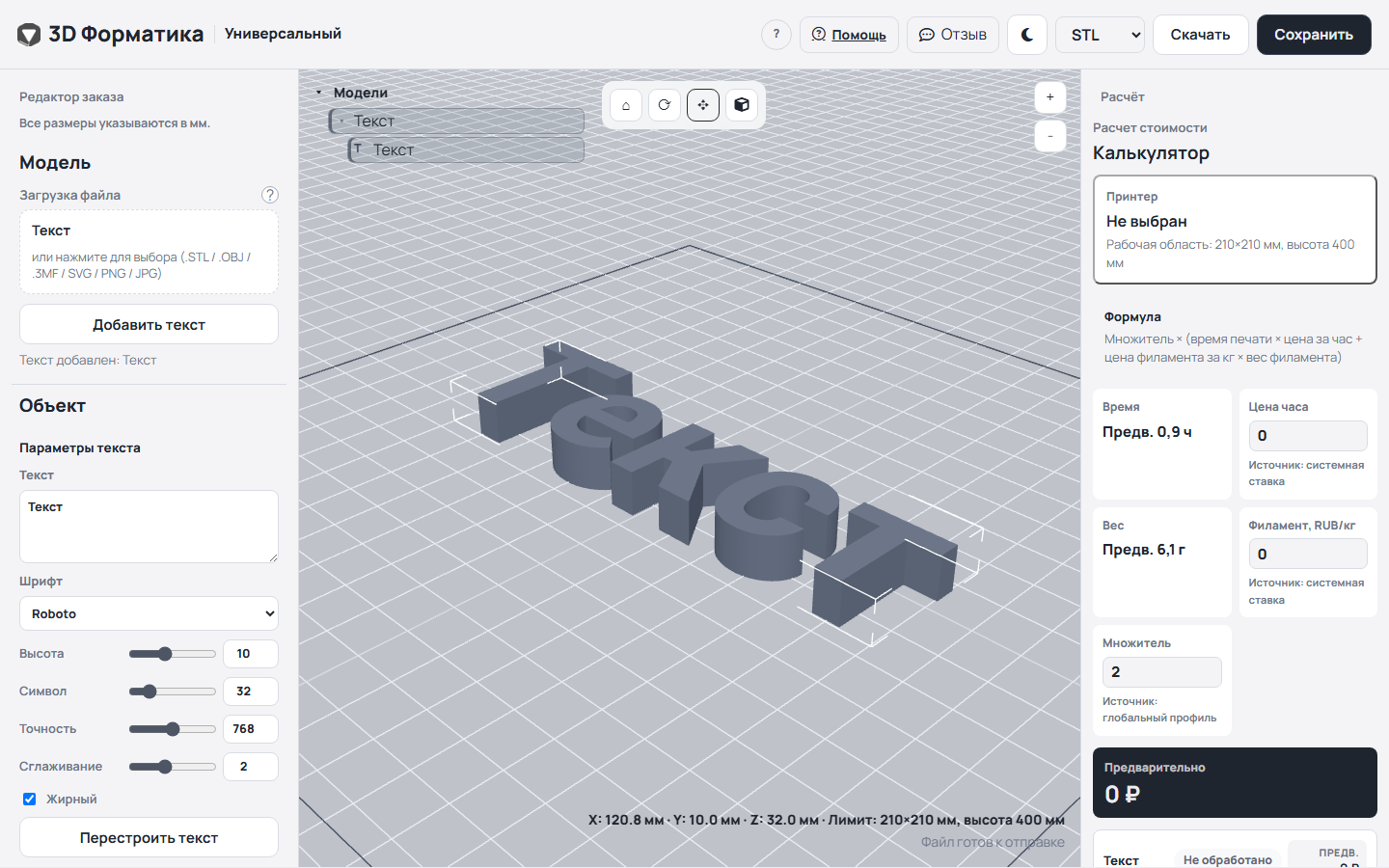
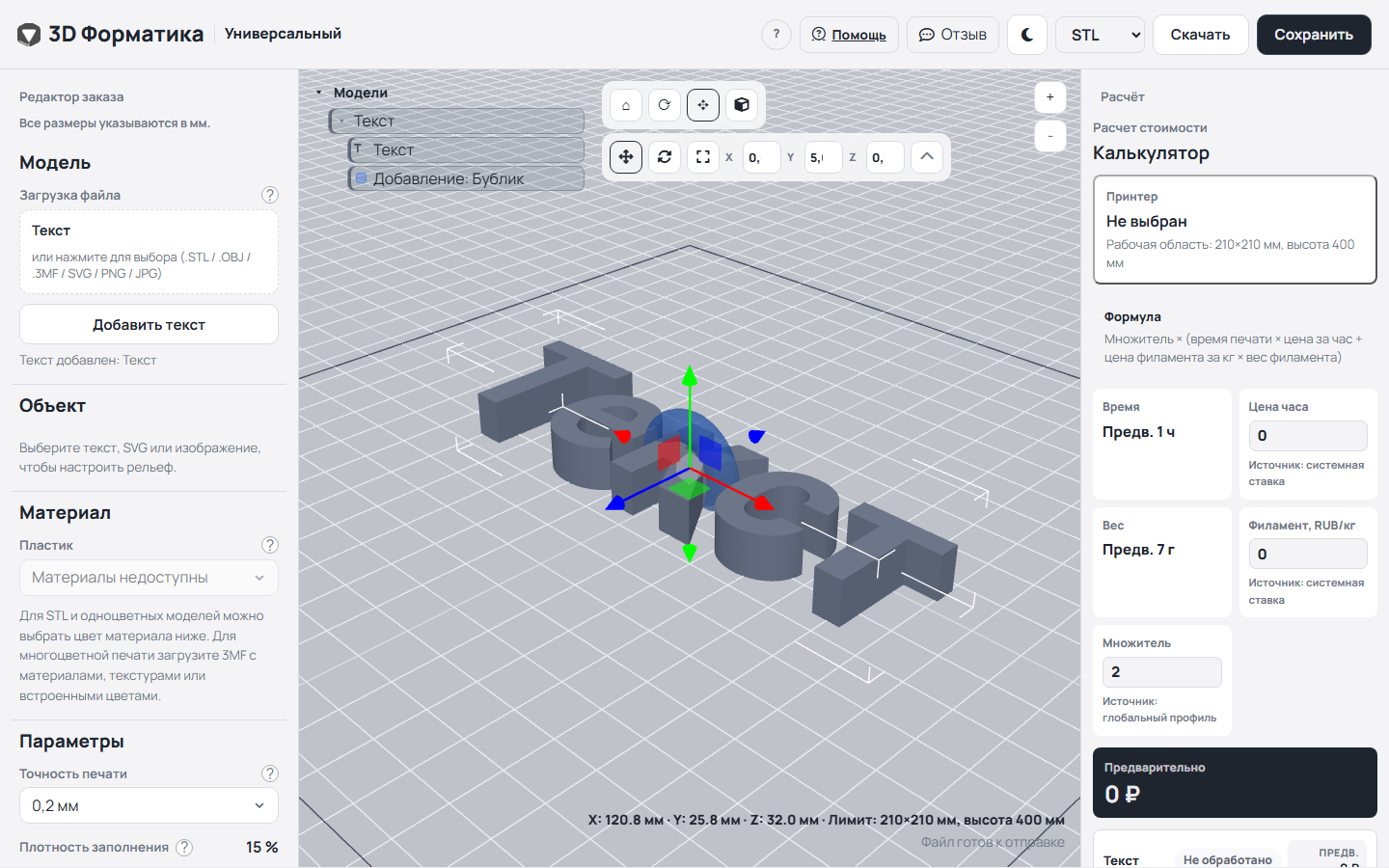
Real interface
Universal Editor in use
Screenshots were captured in the working editor and show actual tools and scene objects.
Things to consider
- This editor is not a full parametric CAD system.
- Large or damaged meshes may need repair.
- Always verify units and final dimensions.
How source data is processed
Most scene editing happens in your browser. Saved models and server features may send project data to Maker services.
Need help with the settings?
The guide covers editor settings and preparing the result for export.
Description updated: 2026-10-17