Maker online editor
Neon Sign Generator
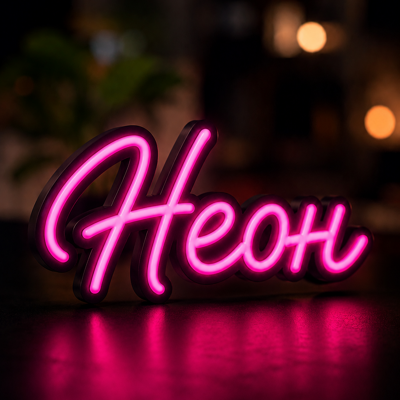
Create an illuminated sign enclosure from text, SVG, or a high-contrast image. Configure dimensions, walls, base, rim, and lid clearance before exporting the parts.

InputText · SVG · PNG · JPG · WEBP
ExportSTL
Access5.00 RUB / 24 hours
Best suited for
- Personalized interior signs
- Illuminated logos
- Enclosures for LED strips or flexible neon
Editor capabilities
- Text, SVG, and image contours
- Configurable enclosure and wall dimensions
- Separate base, rim, and lid settings
- Part preview and export
From input to a finished model
-
01
Enter the source data
Upload a supported file or configure the initial parameters.
-
02
Adjust the model
Tune dimensions and editor-specific settings while checking the 3D preview.
-
03
Validate the result
Check dimensions, printability, material, and output settings.
-
04
Export
Download a supported format and complete preparation in your slicer when needed.
Things to consider
- Simple high-contrast contours work best.
- Tune lid clearance for your printer and material.
- Verify closed contours and lighting space.
How source data is processed
The source contour is used to generate the model and is not published. Saving or server features may send data to Maker services.
Need help with the settings?
The guide covers editor settings and preparing the result for export.
Description updated: 2026-10-17